Codex
Add QuickRCM to ~/.codex/config.toml.
[mcp_servers.quickrcm]
url = "https://quickrcm-mcp.quickintell.com/mcp"
bearer_token_env_var = "QUICKRCM_API_KEY"
startup_timeout_sec = 20
tool_timeout_sec = 120MCP server is running
Connect Codex, Claude Code, Cursor, VS Code, GitHub Copilot, MCP Inspector, or any HTTP MCP client to the QuickRCM public API catalog. Users create their own QuickRCM API key and send it as a bearer token.
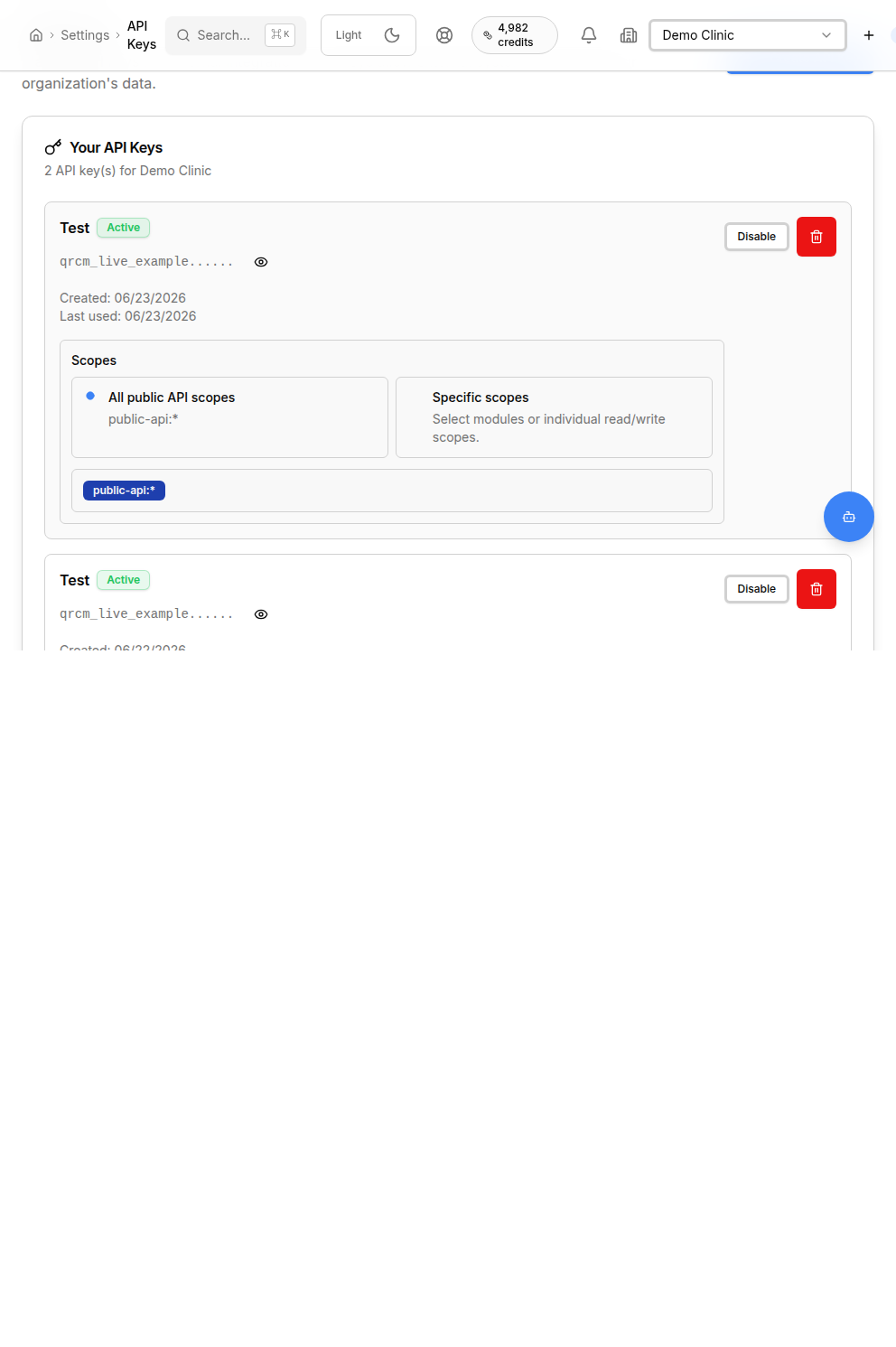
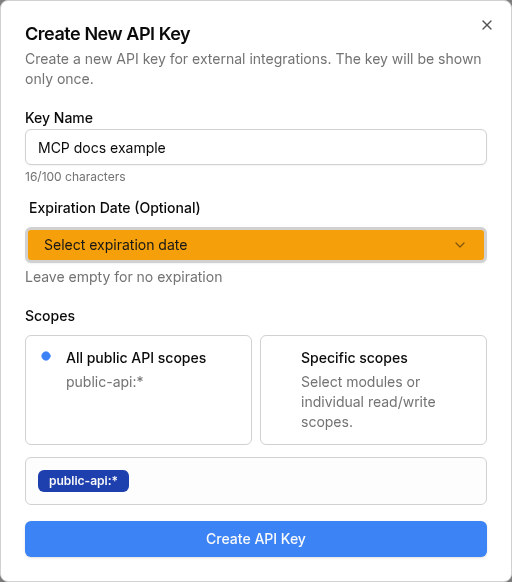
Sign in or create an account, then open the API Keys page. For full MCP access choose All public API scopes. The key is shown one time only, so copy it immediately and store it safely.
Choose all public scopes, or select only the scopes you need.
Save the key before closing the dialog. It cannot be retrieved later.
Add QuickRCM to ~/.codex/config.toml.
[mcp_servers.quickrcm]
url = "https://quickrcm-mcp.quickintell.com/mcp"
bearer_token_env_var = "QUICKRCM_API_KEY"
startup_timeout_sec = 20
tool_timeout_sec = 120Add the remote HTTP MCP server with your bearer token header.
export QUICKRCM_API_KEY="qrcm_live_your_key_here"
claude mcp add --transport http quickrcm https://quickrcm-mcp.quickintell.com/mcp \
--header "Authorization: Bearer ${QUICKRCM_API_KEY}"Add QuickRCM in Cursor MCP settings or a project MCP file.
{
  "mcpServers": {
    "quickrcm": {
      "url": "https://quickrcm-mcp.quickintell.com/mcp",
      "headers": {
        "Authorization": "Bearer ${QUICKRCM_API_KEY}"
      }
    }
  }
}Use a project .vscode/mcp.json with a password input.
{
  "servers": {
    "quickrcm": {
      "url": "https://quickrcm-mcp.quickintell.com/mcp",
      "headers": {
        "Authorization": "Bearer ${input:quickrcmApiKey}"
      }
    }
  }
}Use Inspector to confirm the server outside an agent client.
npx -y @modelcontextprotocol/inspectorTransport: Streamable HTTP. URL: https://quickrcm-mcp.quickintell.com/mcp.
Use Streamable HTTP and include the bearer token header.
{
  "transport": "streamable-http",
  "url": "https://quickrcm-mcp.quickintell.com/mcp",
  "headers": {
    "Authorization": "Bearer <quickrcm-api-key>"
  }
}quickrcm_list_modules, then
quickrcm_search_endpoints.
quickrcm_describe_endpoint and
quickrcm_get_request_schema before building a body.
quickrcm_call_endpoint.
confirm_mutation: true
only when mutation execution is enabled.
Opening /mcp directly in a browser can return
Not Acceptable: Client must accept text/event-stream.
That is expected. The /mcp path is the protocol endpoint.
Check the key, header format, active status, and scopes.
Restart the client and confirm the MCP server is connected.
Inspect the endpoint and place values in the expected argument locations.